
Example
How a tutoring business can run a semester without double-booking the table
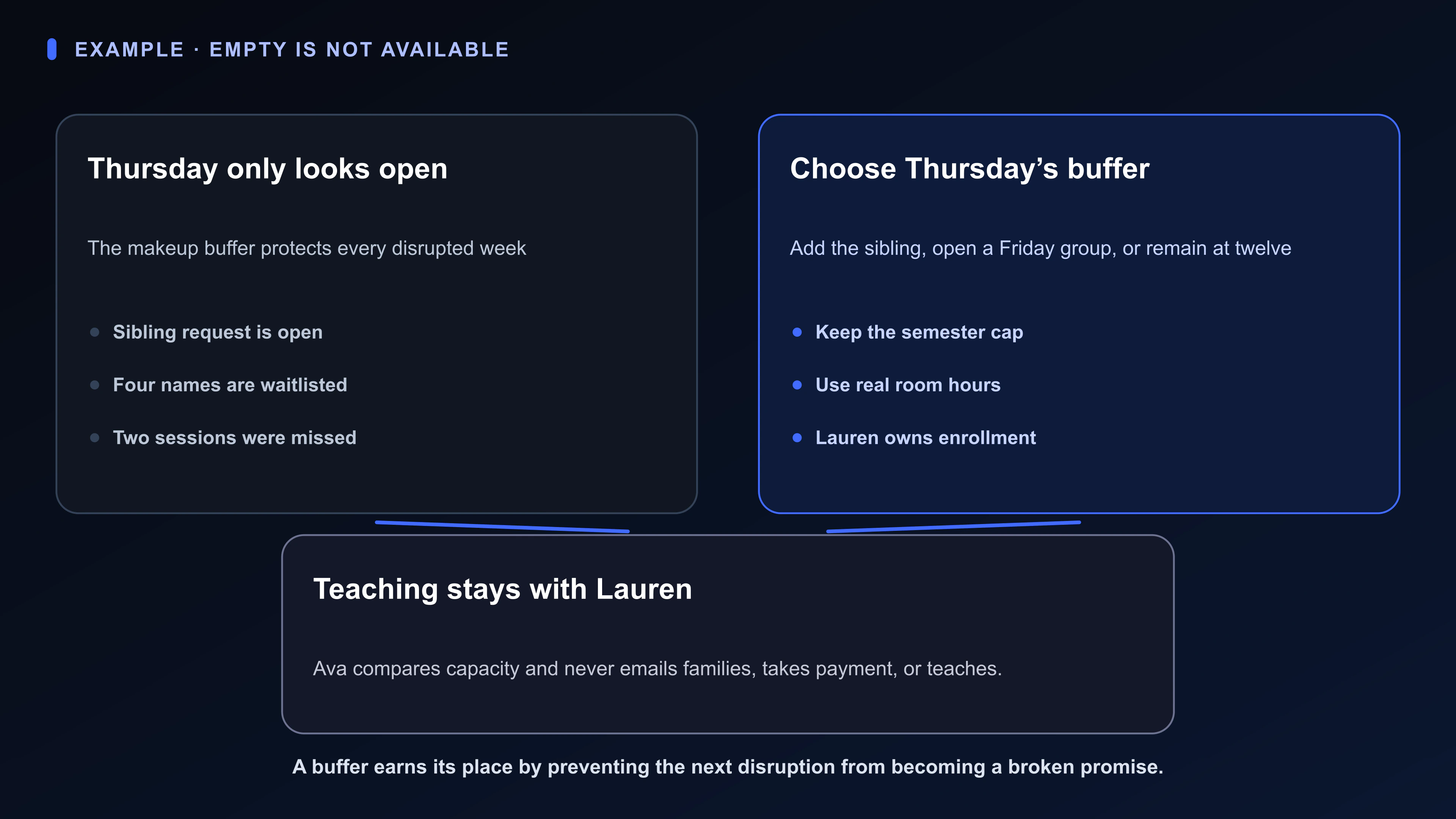
Lauren’s only open-looking Thursday slot is the buffer that keeps snow days from becoming refund arguments. She must give it to a sibling, open a short Friday group, or stay at twelve and keep the buffer.
Hold a semester of standing slots, honest payments, and one makeup buffer, without converting the waitlist into overcrowding
Slot cap, buffer rule, and rented-room hours
Keep the cap and makeup slot visible beside demand
Each weekly seat with subject and payment status
Show a seat that is named but not currently happening
People who are not yet a slot
Compare sibling, Friday group, and keep-buffer options
Hold the ask without placing it on the grid
Rental evenings and what the table holds
Mark the empty-looking slot as reserved on purpose
Possible offers Lauren has not made yet
Prepare an offer without treating it as parent demand
The Semester slots Board keeps standing seats, waitlist names, room hours, payment state, and possible offers separate so demand is not mistaken for capacity.
Open Choose Thursday’s buffer as a Room with the cap, missed weeks, sibling request, Friday-group option, and the reason the slot exists.
Ava can compare only Lauren’s visible capacity facts. Lauren owns enrollment, pricing, teaching, refunds, and parent conversations; Ava does not teach, email, or take payment.
A waitlist is not capacity; a buffer slot is not empty
This Board has one job: Hold a semester of standing slots, honest payments, and one makeup buffer, without converting the waitlist into overcrowding.
The decision still belongs to Lauren: Whether to give Thursday’s buffer to the sibling, open a short Friday group of three waitlist students, or keep the buffer and stay at twelve.
You.one can keep the work, evidence, and “Choose Thursday’s buffer” decision visible through its Superboard view. Authority does not move to the software: Lauren chooses enrollment, talks to parents, and owns teaching and refunds.
Available today
Semester slots: one place for the mission
The Semester slots Board gives this mission one durable operating picture. Lauren can use familiar language instead of translating the situation into project-management jargon. Its five Lists separate the kinds of attention this situation actually requires.
The Board is not a master task list. It keeps the live choice, the facts that could change it, and any reply or outside event already in motion visible without pretending every uncertainty is work in progress.
Swipe or scroll sideways to see every column.
| List | What belongs here |
|---|---|
| Mission | Slot cap, buffer rule, and rented-room hours |
| Standing students | Each weekly seat with subject and payment status |
| Waitlist | People who are not yet a slot |
| Room and materials | Rental evenings and what the table holds |
| Possible offers to prepare | Possible offers Lauren has not made yet |
Available today
Cards that sound like the real work
These Card titles come directly from Lauren's situation: “Choose Thursday’s buffer” is the live choice, “Thursday 4:30 makeup buffer” holds evidence, and “Student with two missed weeks” is still work Lauren controls—not something already awaiting another person. The point is recognition, not a perfect taxonomy.
Swipe or scroll sideways to see every column.
| Card | List | Job |
|---|---|---|
| Twelve seats and one buffer | Mission | Keep the cap and makeup slot visible beside demand |
| Choose Thursday’s buffer | Waitlist | Compare sibling, Friday group, and keep-buffer options |
| Thursday 4:30 makeup buffer | Room and materials | Mark the empty-looking slot as reserved on purpose |
| Sibling request: grade 8 algebra | Waitlist | Hold the ask without placing it on the grid |
| Student with two missed weeks | Standing students | Show a seat that is named but not currently happening |
| Draft the Friday group offer | Possible offers to prepare | Prepare an offer without treating it as parent demand |
Available today
Keep the evidence with “Choose Thursday’s buffer”
Opening the Card gives the visible item durable depth. Stage can hold Capacity brief: Place the buffer rule, waitlist, and sibling / Friday-group / keep-buffer options on one page. Chat keeps the request and response beside that artifact instead of in a detached thread. Notifications can bring this update forward: “Open decision: Lauren will choose how waitlist demand is handled.”
A Card Chat request can ask Ava to prepare the specific comparison or extraction in “Choose Thursday’s buffer” from the visible evidence. Ava can work from the context Lauren deliberately brings into this Card, List, or Board; she cannot monitor the rest of life, contact anyone, or inherit the decision.
Lauren's call remains explicit: Lauren chooses enrollment, talks to parents, and owns teaching and refunds.
Swipe or scroll sideways to see every column.
| Surface | Job in this example |
|---|---|
| Stage | Capacity brief: Place the buffer rule, waitlist, and sibling / Friday-group / keep-buffer options on one page |
| Chat | Keep Lauren's request and Ava's attributed response with the work |
| Notifications | Open decision: Lauren will choose how waitlist demand is handled |
Start small and rename what feels artificial
Lauren should rename every List or Card that feels artificial. This recipe succeeds when “Choose Thursday’s buffer” becomes easier to decide and fewer open loops depend on memory—not when the Board looks tidy.
Swipe or scroll sideways to see every column.
| Step | Action |
|---|---|
| 1. Write the cap and buffer | Empty is not the same as available |
| 2. Card standing students | Including missed weeks and payment status |
| 3. Keep a waitlist list | Names who are not yet seats |
| 4. Map room hours | Rented evenings as a constraint |
| 5. Choose Thursday’s buffer | Open a Room before the buffer disappears |
A paper grid plus a payment app can remain part of the system
A paper grid plus a payment app can be enough while the situation stays simple: every student comes every week.
It starts to break when a buffer, a sibling ask, and two missed weeks all look like the same Thursday.
The Semester slots Board earns its place only when the familiar tool—a paper grid plus a payment app—can no longer keep the reason, Capacity brief, conversation, current state, decision, and history connected.
Where this example stops
- This is a fictional example, not a customer story.
- This is not educational, licensing, or tax advice.
- It does not show Ava emailing parents or taking payment.
- It is not a measured student or revenue result.